iPhone

Samsung F480

By Joseph Hanlon on 28 November 2008

The F480 looks good and is easy to use. The touchscreen is responsive and Samsung have designed a user-friendly interface. The F480 would suit anyone looking for a cool looking camera phone, just don't confuse it for a business phone.

7.8 7.7
  • Good: Responsive touchscreen • Finger-friendly menu • Great for watching mobile Foxtel • Camera takes decent pics
  • Bad: No Wi-Fi, GPS or accelerometer • 3.5mm adapter instead of on-phone socket • Interface lags during transitions
  • Specs: Touchscreen • Bluetooth, Next G, 3G, HSDPA • 228 MB • Touchscreen • See more specifications
  • RRP: AU$829.00
  • Available plans: 40 plans available starting from $29 to $275.79

Design
Think Samsung's Omnia, but squatter. It's no surprise that two Samsung touchscreen handsets released in short succession should look so alike. There are subtle differences in the shape and size of the mechanical keys, and the Omnia's 3-inch display is a 2.8-inch touchscreen on the F480, but otherwise these guys are like twins separated at birth

The F480 has a pleasing weight and its brushed metal finish feels nice to hold. Samsung has opted for a capacitive touchscreen in the F480, as opposed to the resistive touchscreen technology it tends to employ, and while these technologies are vastly different, the end result subtly favours the F480. Capacitive touchscreens react to fingers only (or contact with any part of your body), so you cannot use a stylus, but the upside is a more responsive display.

Samsung has designed a good touchscreen interface for this handset. Incorporating the company's TouchWiz widgets homescreen and large colourful menu items, we've had no significant difficulty in navigating the menus or performing basic phone functions. We're still not sold on the usefulness of the TouchWiz widgets, though our review unit came with four Telstra widgets which are great links to Next G services.

Features
Comparisons with Apple's iPhone are inevitable, on the merit of the touchscreens and colour menus mostly, but there are important differences to note. Firstly, the F480 isn't a smartphone. It runs on Samsung's proprietary operating platform and as such you cannot develop or install third party applications to this phone, other than Java-based software.

Also, the F480 doesn't include Wi-Fi hardware or a GPS receiver, like Apple's smartphone. Instead the F480 sports strong consumer phone features, including a 5-megapixel camera with an LED flash and access to Next G services and mobile Foxtel.

In unison with 7.2Mbps HSDPA data speeds the F480T has an excellent pre-installed web browser. Its interface is simple and clean, and it does a great job of rendering pages in a single column mobile view, which is lucky because zooming requires more keystrokes than the finger gestures iPhone users will be accustomed to.

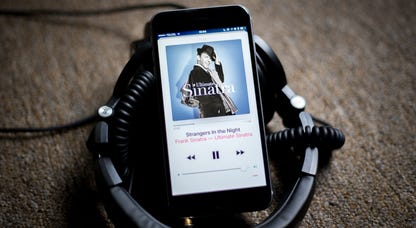
The F480 supports a range of multimedia including DRM-free MP3 and AAC music files and MPEG4, H.264 and H.263 video files. The music player interface is serviceable, but it has nothing on the slick iPod Coverflow menu found on the iPhone.

Performance
Unlike the Samsung Omnia, the F480 has fewer feathers in its cap, but we've been mostly impressed with how each of these features has performed. Making and receiving calls is good with a loud, if slightly muffled, speaker at your ear. Creating messages is a breeze due to a well-designed onscreen T9 keypad. Some people may be disappointed to discover the F480 doesn't use a virtual QWERTY keyboard, but from our experience with other touchscreen phones, this is not a feature we'd make use of anyway.

The speed of menu navigation and processing in applications is mostly sufficient. The time between selecting an option or application and seeing the results is typically about one second. This pause is smoothed over somewhat by animated transitions, though these tend to stutter and lag.

The F480 does an excellent job of behaving like a portable media player, though with matching file recognition and no significant internal storage or 3.5mm headphone socket on the phone (it does come with a cumbersome 3.5mm extension adapter), it's hard to recommend the F480 over the iPhone as a media player.

On the other hand the F480 may be the best Telstra Next G handset we've come across. Watching Foxtel TV on this phone truly shows off how great this service is; the streaming is fast and without interruption and the picture and audio is as good as to be expected — which is about YouTube video quality.

The 5-megapixel camera certainly seems to have all the settings and adjustments that have become common across the higher-specced camera phones. The F480 has a variety of shooting modes and white balance settings, picture quality and focusing mode adjustments. In the field we found the camera took photos that represented the colours we saw well, but tended to flare in sunlight and often struggled to focus. As far as 5-megapixel camera phones go the F480 is a mid-range shooter and will pass the test for Facebook bloggers, but not so for people who may want to print these photos down the track.

Overall
At CNET we love to see phones that know exactly what they are, and don't fail pretending to be something they are not. This describes the F480 exactly. The F480 is the perfect match for the first generation iPhone, before Apple filled its phone with MS Exchange support and a GPS receiver.

If you're in the market for a chic-looking touchscreen phone, with responsive input, a decent camera and a standard range of media playback, then the F480 is worth checking out. If you're looking for a business-capable smartphone, look elsewhere.

Find the best Samsung F480 plans available.

Topics: megapixel, mobile phone, samsung, touchscreen, f480, phone, camera, iphone, 5-megapixel, menu

Comments (118)

  • Luke gave a review on 10/07/2009 10:59 Report abuse

    This fone is really good for all those people who say it freezes, you must not take good care of it, i've had mine for 4 months and it has still not frozen once.

  • Grandad gave a review on 07/07/2009 18:15 Report abuse

    In three months I had three repairs. Same freezing fault. Hardly had any satisfactory use from the F480. SMS awkward to use - it takes many touch operations before you even get started on sending a message. Touch scrolling is inconsistent and time consuming. My really old Nokia was quick, simple and totally reliable.

    • Good: Looks good.
    • Bad: Constantly freezing; 20 second lag on start up; Touch scrolling awkward, practically impossible to get help from Samsung.
  • SWEETSAM gave a review on 07/07/2009 16:28 Report abuse

    I only had this phone for 6 weeks and it required repair. Which they tell me is for water damage even though the phone has never been wet. Therefore no warranty and Samsung Customer Care is appalling out of 3 phone calls only one person was helpful.

  • =_= gave a review on 05/07/2009 21:31 Report abuse

    should i get a lg renior or a samsung f480 plz help :)

  • Kai gave a review on 26/06/2009 16:34 Report abuse

    Here is a review from a proper critic :)

    I was tossing up what to replace my well featured and class leading N95 with, I loved the N95s camera, I loved that its gps/internet/music features but apart from that I didnt use anything except text..

    F480t is was! first off, the Camera.. now people are a bit 50/50 on this camera, here is my 2 cents after I actually played around a bit in different weather, lights and enviroments, change the settings, change it off from Auto and change the settings manually depending on your enviroment and you get great clear photos and that delay in shutter speed/saving vanishes.
    There is no end in setting for this 5 Mego Pix camera, it has more setting than the N95 and the facial recognition and auto focus work very well in all light conditions (even low light if the subjects are close enough.. a few feet away)
    the Flash is much better than the N95, sure its only LED but believe me it walks all over the N95 (which was useless at night) and it is bright enough to photograph objects within 4/5 feet. so close ups of people at parties etc are all fine.
    Video quality is no good compared to N95 though.. not sure why this is?
    plays MPG videos fine for me, no lag etc but had problems playing videos from my N95..

    Music, first off people complain that it takes ages to put music onto your phone? DO NOT USE SAMSUNG PC STUDIO, instead go into the settings on your phone and switch USB usage to Mass Storage, then when you connect it to your pc it will show up as a memory stick or portable drive (e.g. mine has an 8gb Mem card in it) and when you open that you have a few folders "sounds" "pics" etc, all you do is drag and drop your music from your computer into those folders and its very very very quick, same with getting your photos on or off the phone, do not use the samsung software, use the phone as a mass storage device. once it is unplugged and you go to music on your phone it will automatically refresh and show all the music in your music player.

    here is another tip, sort out your music into Artists / Albums before loading onto your phone, then the menus become so easy to use, you can search all song, all artists, all albums or all songs/albums by a certain artist etc.. makes it very easy to use.

    also, to scroll through menus faster or slower it is determined by the speed you draw your finger up or down the screen, drag it slow and it does a slow scroll, swipe it across fast and it tears through rows like a rabbit running from a jack russell.

    so thats the camera and music! and as mentioned video recording is average, not really worth using for anything important, but it can play back mpg clips (family guy episodes etc) with no problems.

    GPS, sadly the Samsung has none.. a shame really, I think that is a feature all new phones should adopt, it really is the most useful tool for a cellphone I think, better than games or temperature sensors or unit converters etc.. I get lost in big cities when I travel and I always have my phone one me.. it makes perfect sence.. oh well! thats one point which I will look at the samsung and dream of the N95.. however the Internet browsing is fast enough so I can use google maps etc.. its not so bad.

    No Wifi.. this is a shame since most of our airports/starbucks/ and my university have free wireless networks which I took full use of on my N95.. But the samsung has very fast internet browsing and it is much nicer to browse the web on the samsung than on the old nokia which was a bit awkward infact.

    and thats about all I considered, I was a bit annoyed about not having TV out either like the N95 did.. it was handy when travelling to be able to plug it into a big screen/monitor and show friends/family what you did today and what you saw etc.. but oh well, it can plug into a PC and be viewed that way like a normal digi camera but still.. Nokia had the right idea there eh..

    but yea, all in all this is not a smart phone, its a cheap (400.00 in NZ and avail on prepay no need for plans) touch screen phone, which boasts expandable storage of up to 8gb (I have a little case and multiple 8gb cards packed with my music collection in my wallet) boasts a more than capable camera if you are willing to adjust settings and learn how to use your phone properly, touch screen is responsive and the GUI is great.

    not as customizable as most people want.. but samsung never was.. buy a different phone.

    this phone will suit a lot of people, this phone is perfect for a lot of people, that just want the features they will actually use.. text/call/music/camera/internet/time/calander/organizer. which are generally tools everyone will appreciate in one sleek package, trims off the rest which we dont need on a daily basis.. puts it all in that wicked looking easy to use touch phone..

    its not a smart phone, but it has character and it really is a good phone.

    Does it freeze? never heard of freezing issues by anyone in NZ.. I have not had my phone freeze once on me, I have no "lag" on my model either..

    transition between menus is smooth and appears instant (less than 1 sec) response from the touch screen is instant > 0.1 sec. I find it easy to text with and the vibration response is great.

    you can tend to hit the language button when going for '6' but you soon change your text style to avoid that, and hey my N95 I used to hit the close button all the time which was worse cause then you lost the whole text, with samsung even if you do exit out by mistake when you go back its still there which is great!

    umm, yea I can honestly say that if you don't need all the dead weight features of a smart phone, this phone will make you so much happier. ease of use, style, and function are simple and rewarding.

    Calling? I can hear all my incoming calls crystal clear at all volumes, I never have it past 3/4 though its very loud, and my callers can hear me better than my N95 calls..

    maybe its your networks not the phone?

    I also play music through the phone speaker and it doesnt distort, so I think the speaker itself is good quality.. some of these faults people bring up could be the fault of the network you are on..

    so yea, sum that up yourselves haha, the phone is good, it definitly lacks the tools that smart phones like the N95/N96/N85 have but you have to ask yourself if you need tools like that, I think to myself now here what feature did the N95 have that I actually miss.. and out of all the stuff it boasted all I can say is the GPS eh, the wifi isnt that much of an issue with Telecom now since they give you free browsing.. and the GPS isnt so bad because of free internet browsing I also get free google maps... so yea.. works well for me!

    I can recommend it.

    has never frozen on me, does not lag and I get response from my touch screen no matter how dry or oil free my finger is..

    I also have plenty of selection of cases and screen protectors avail to me via trademe.co.nz so its always looking brand new out the box even though its in my pocket in and out all day!.. great to have a phone that always looks new and clean, my N95 started to look old after 5/6 months

    • Good: All its features are Pro and it does all well, if you are having problems with the phone its probably you not the phone. 3.5mm adapter included and charges itself through usb when transferring music/photos/videos
    • Bad: no wifi, no gps, video playback/recording not in the same class as the N95 I had previously.
  • unsober gave a review on 25/06/2009 19:15 Report abuse

    im not sure if to get this phone or the samsing omnia? the omnia has better quality photos apparently...can anyone suggest which one is better???? thanxx

  • roger gave a review on 21/06/2009 12:43 Report abuse

    does this phoe support mp4 files?

  • Gogga gave 4/10 on 21/06/2009 07:26 Report abuse

    Can u mxit with this ph0ne???

  • Panther gave a review on 18/06/2009 11:57 Report abuse

    I like learning via exploration so I searched the manual in any sort of detail but I can't figure out for the life of me how to enter a birthday? The birthday widget is useless to me right now. How the hell do I do this??

  • Pheobe Philange gave 9/10 on 13/06/2009 17:54 Report abuse

    This phone is beautiful and i want one, but where are the prices???

    • Good: Looks good, great camera, love the touch screen, is available in pink, sooo nice...
    • Bad: Little Heavy, sometimes hard to use

Post your own

Submit

Enter your personal information to the left, or sign in with your Facebook account by clicking the button below.

Connect

Where to buy Samsung F480

See all options »

Must read

  • Best iPhone alternatives

    Just because you don't want an Apple iPhone 3G doesn't mean you don't want...

  • Samsung F480

    The F480 looks like an Omnia, works like an iPhone and may be the best...

  • Samsung Jet

    The Samsung Jet is an excellent touchscreen device that packs a heap of...

  • Nokia 5800 XpressMusic

    Nokia may have been late to the touchscreen party but we like what it's...

  • LG Renoir KC910

    With an excellent 8-megapixel camera and a finger-friendly touchscreen,...

Advanced search

Product finder